
A plan for your equipment
Your location, listed equipment and time budget shape the workout.
//// TUNED TO YOU
Tell AnyGear what equipment you have and how long you want to train. It builds your plan from those details. With Pro, Kora uses your logged sets and feedback to help with your next step.
With an account, you can log one starter workout from start to finish without Pro. AI Coach and plan changes require Pro.



//// MADE FOR YOU
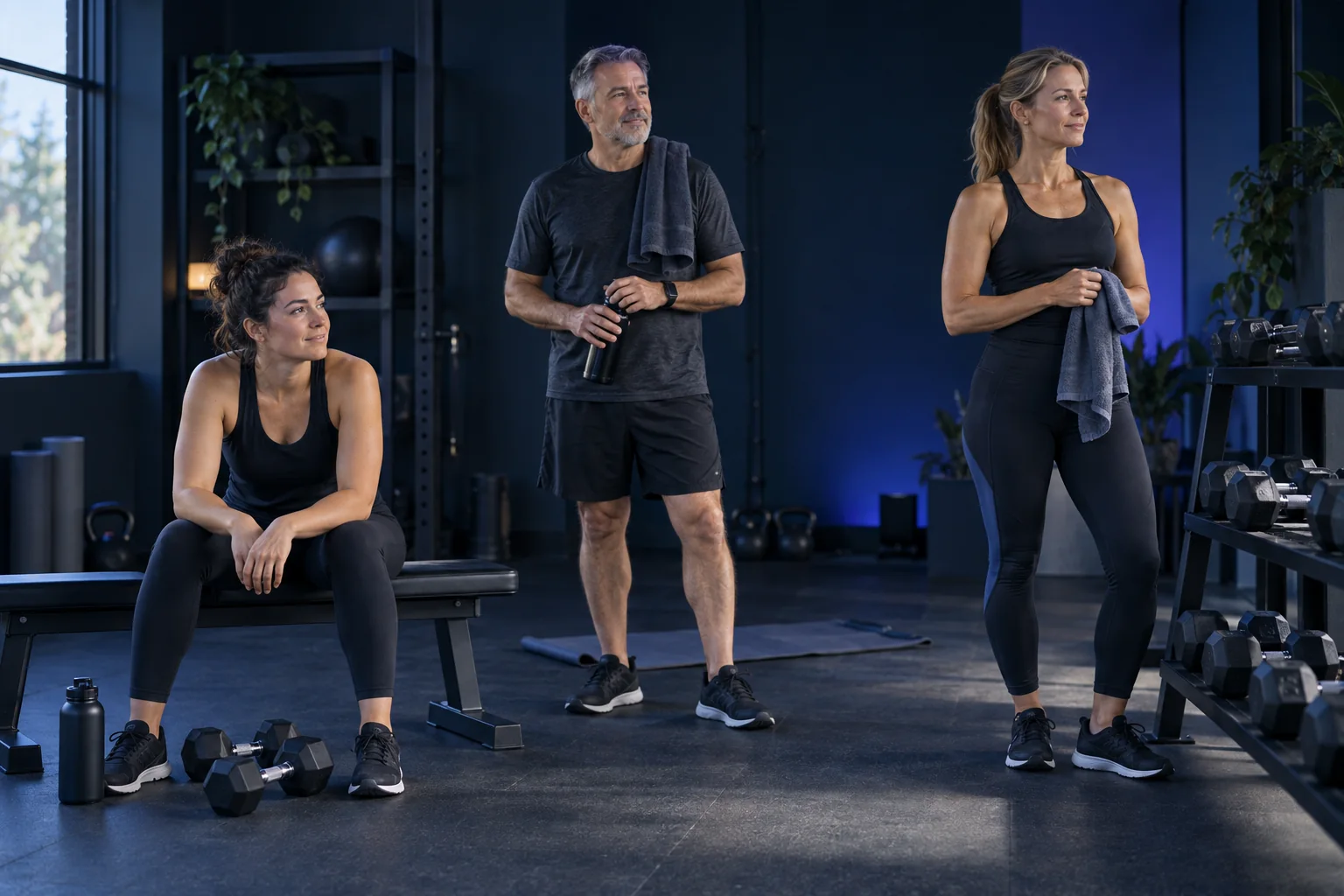
AnyGear is for adults who want to strength train at home or in a gym, whether you are just starting, returning to exercise or already have a routine.
If you have limited equipment, a busy day or more than one training location, you can build a plan around your own equipment and time budget.
With Pro, Kora uses your logged sets, history and feedback to help with your next step.
//// YOUR WORKOUT
Set up your equipment, choose a time budget and log what you actually do.
Your location, listed equipment and time budget shape the workout.
Kora uses your logged sets and feedback to offer guidance for what comes next.
Choose another exercise when a suitable alternative fits your available equipment.
Approve, pause or delete suggested memories.
Save multiple locations, each with its actual equipment.
Log on your phone or paired Apple Watch or Wear OS watch. A watch is optional.
//// KORA · ANYGEAR PRO
Weight, reps and your feedback during training provide the basis for advice. Kora draws on these details and your history to help with what comes next.
Advice is based on the data you provide. Kora does not watch your movements through a camera.
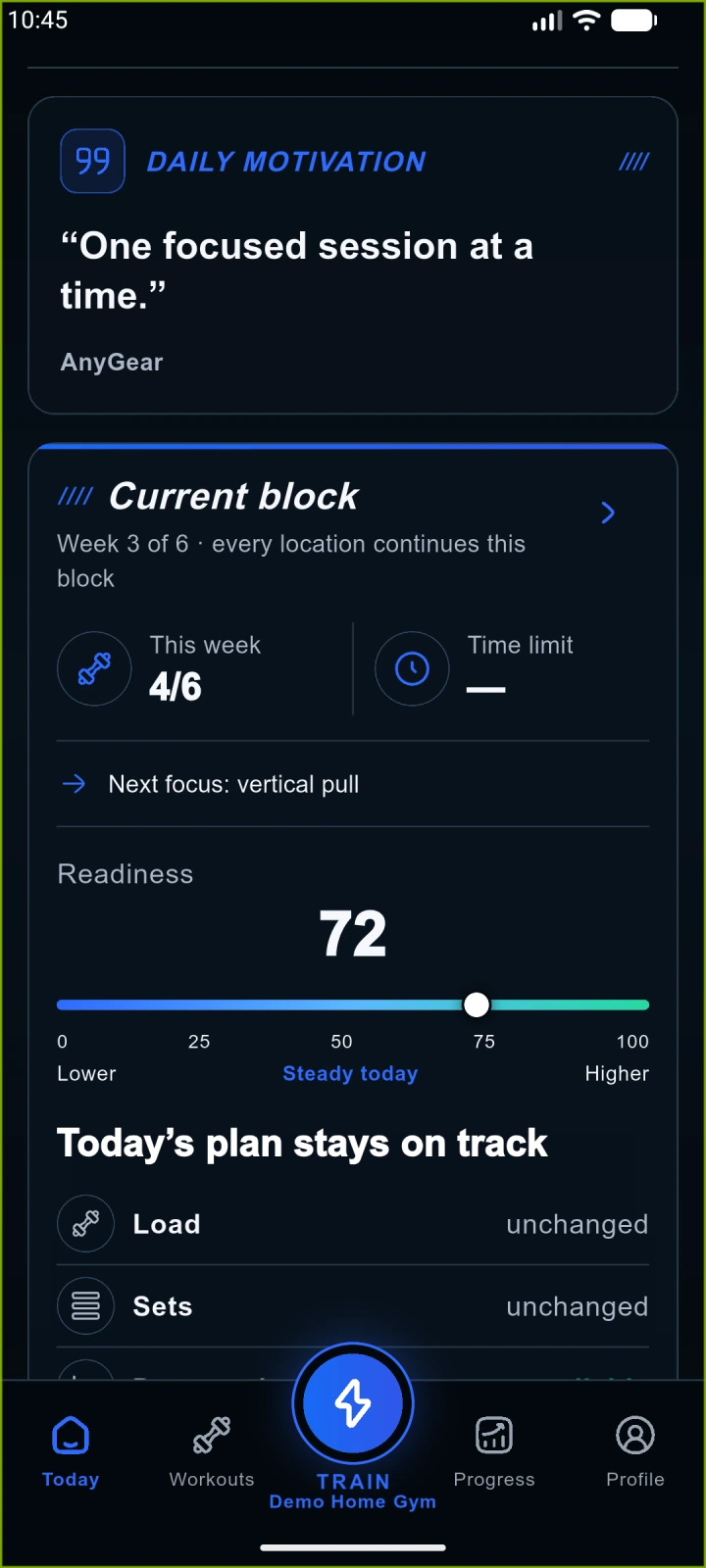
Native app capture · demonstration data
//// PLAN FOR REAL LIFE
Choose the location and time budget. The planner also considers your saved goals, settings and training history.
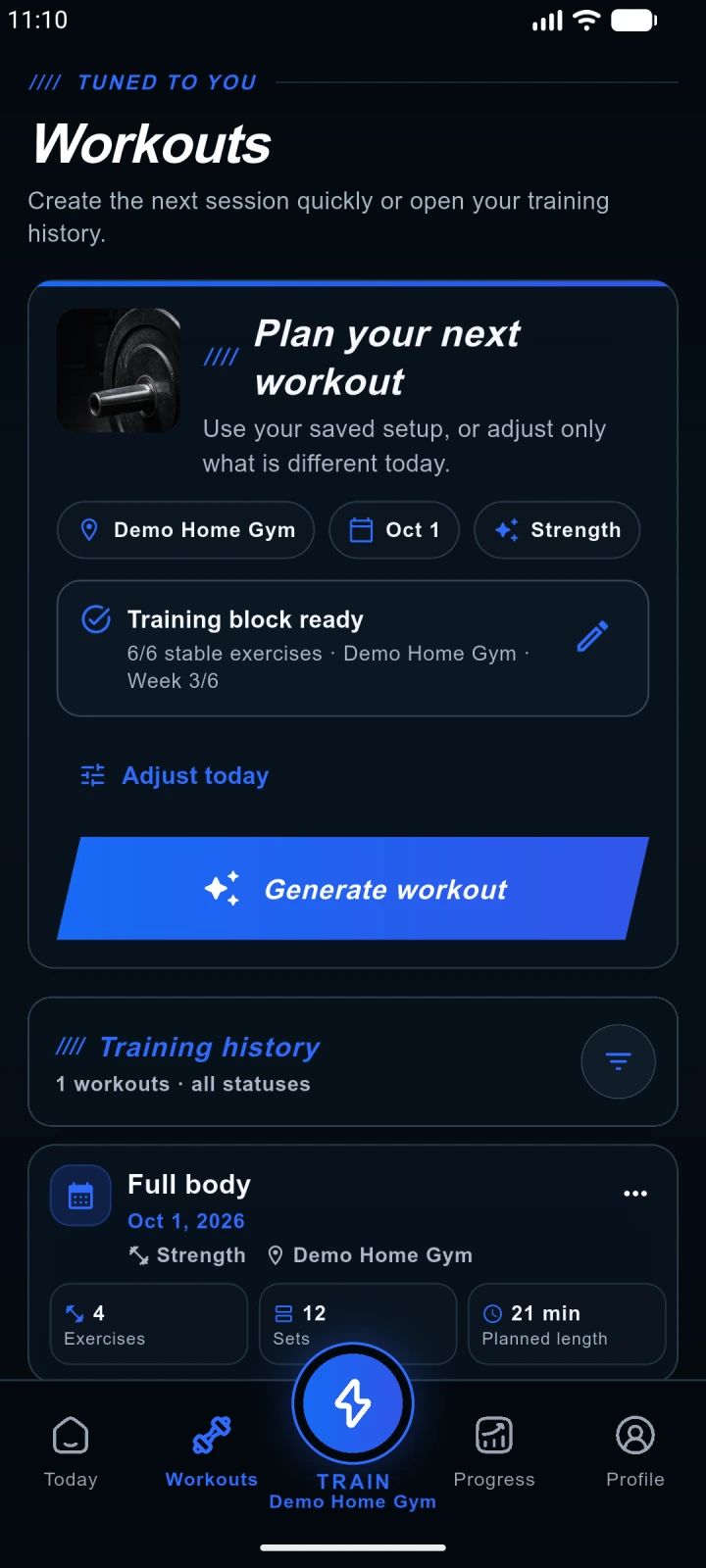
Native app capture · demonstration data
//// YOUR CHOICE
Kora can suggest a lasting memory from a training preference. Review it and approve only what you want to use in future sessions.
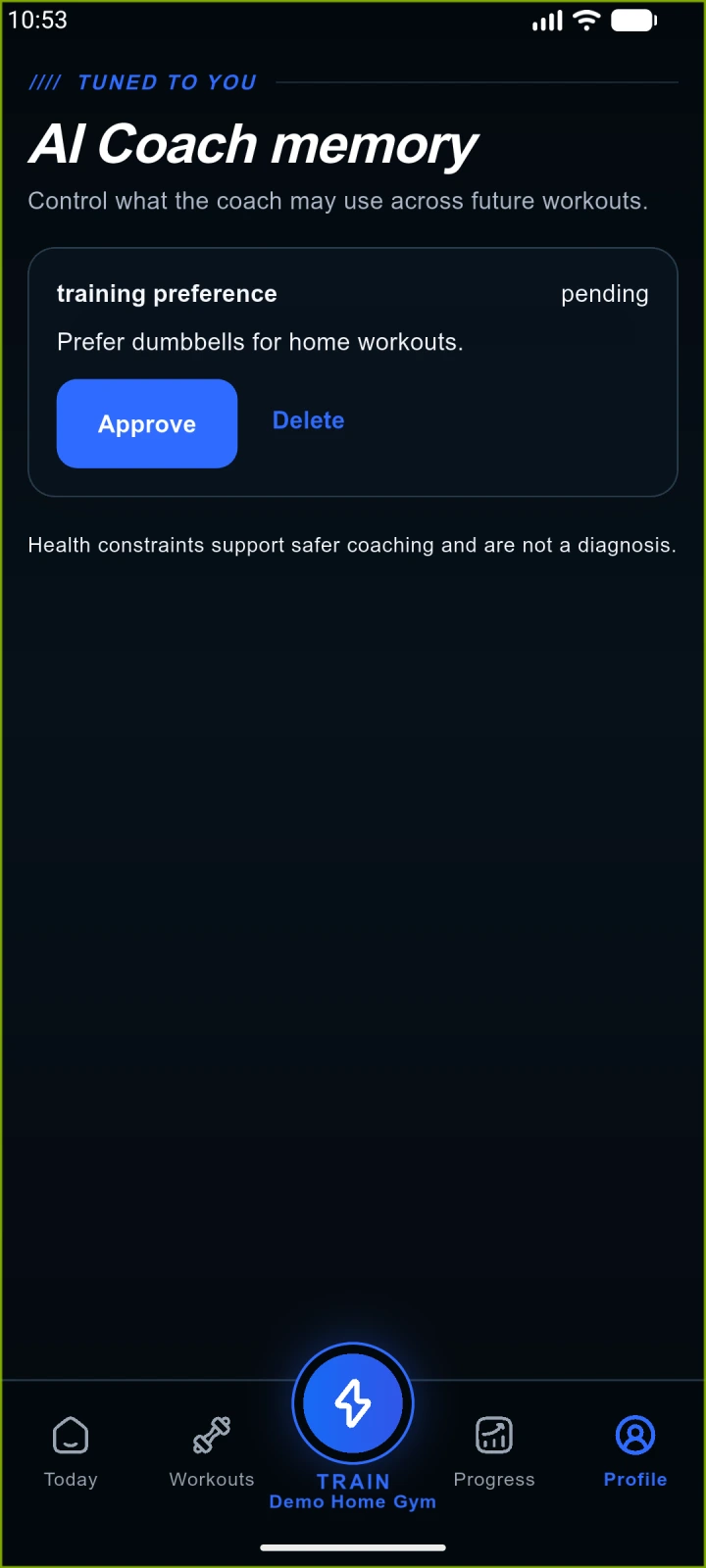
Native app capture · demonstration data
//// HOME AND GYM
Define machines, free weights, zones and position order. These help with exercise order and paired exercises. You keep the equipment list up to date.
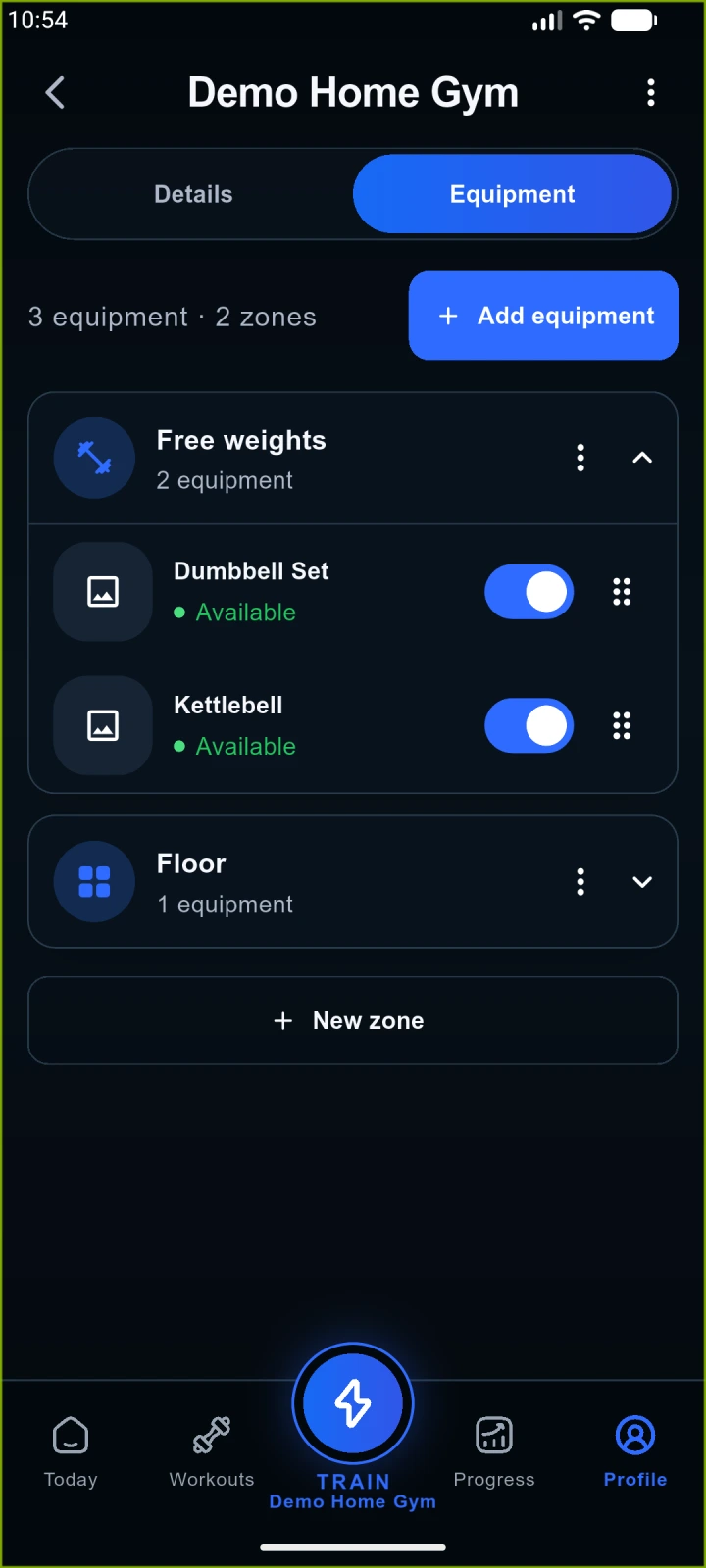
Native app capture · demonstration data
//// DURING YOUR WORKOUT
| Situation | How to use AnyGear |
|---|---|
| Training at home | Choose your home location and the equipment you have listed there. |
| A machine is busy | With Pro, choose a suitable replacement when an alternative is available. |
| You finished a set | Log the values; with Pro, Kora can use your feedback to help with the next step. |
| A preference has changed | Review and update your approved Coach memories. |
| Logging from a watch | Use Apple Watch with iPhone, or Wear OS with Android. |
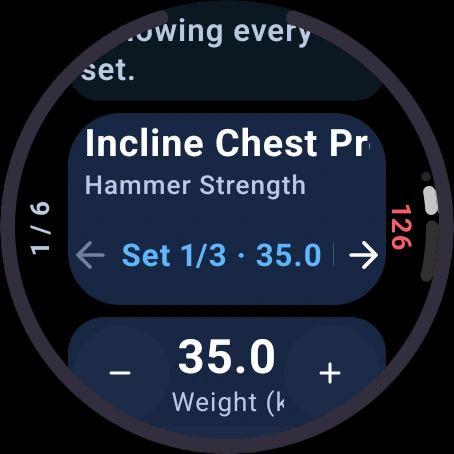
Native app capture · demonstration data
Log on your phone or paired Apple Watch or Wear OS watch. A watch is optional.
//// ANYGEAR / HEVY / FITBOD / BOOSTCAMP / ALPHA PROGRESSION
Compare AnyGear, Hevy, Fitbod, Boostcamp and Alpha Progression Pro on the same criteria. Choose for your own training needs; different apps suit different routines.
Scroll horizontally to see all apps.
| Criterion | AnyGear | Hevy | Fitbod | Boostcamp | Alpha Progression Pro |
|---|---|---|---|---|---|
| Main approach | Equipment-aware planning and Kora with Pro. AnyGear | Logging, routines and community; Trainer with Pro. Hevy · Features guide | Workout recommendations using history and recovery. Fitbod · FAQ | Follow coach and community programs. Boostcamp · Free / Pro | Editable plans and set-specific progression. Alpha Progression Pro |
| Planning | Starter preview; new plans and six-week program with Pro. AnyGear | Your own routines; personalized Trainer program with Pro. Hevy · Features guide | Recommendations from goal, time, split and history. Fitbod · My Plan | Program library and manual builder; personalized generation with Pro. Boostcamp · Free / Pro | Generate a personal plan or standalone workout. Alpha Progression Pro |
| Equipment and available weights | Equipment, weight sets and zones per location. AnyGear | Equipment-specific routines and custom exercises. Detailed weight inventory not verified here. Hevy · Features guide | Multiple locations, available equipment and weight increments. Fitbod · My Plan | Program selection and exercise swaps. Detailed location weight inventory not verified here. Boostcamp · Free / Pro | Multiple gym profiles and available weights. Alpha Progression Pro |
| Logging and next load | Sets, weight, reps and feedback; Kora guidance with Pro. AnyGear | Weight, reps, RPE; Trainer load recommendations with Pro. Hevy · Features guide | Weight and rep logging; history-based recommendations. Fitbod · FAQ | Weight, reps, RPE/RIR; progression follows the selected program. Boostcamp · Free / Pro | Weight, reps and optional RIR; load guidance for each set. Alpha Progression Pro |
| Free access | With an account, log one starter workout once in full. AnyGear | Ongoing logging; 4 routines, 7 custom exercises; up to 3-month stats view. Hevy · Free / Pro limits | Check trial terms in the app; a permanent free tier is not verified here. Fitbod · FAQ | Logging, manual program building and most programs are free. Boostcamp · Free / Pro | Base app: unlimited logging and manual plans; Pro is a separate paid tier. Alpha Progression · Free / Pro guide |
| Paid access | New plans, plan edits, Kora and Coach memories; purchase in the mobile app. AnyGear | Trainer, unlimited routines and custom exercises, longer stats views. Hevy · Features guide | Subscription for ongoing use; website and store offers. Fitbod · FAQ | Pro: extra programs, personalized programs and advanced analytics. Boostcamp · Free / Pro | Pro: generation, progression, charts, multiple gyms and advanced tools. Alpha Progression Pro |
| Phone and watch | Web, iOS, Android; Apple Watch + iPhone, Wear OS + Android. AnyGear | Web, iOS, Android, Apple Watch and Wear OS. Hevy · Features guide | iOS and Android; Apple Watch and Wear OS. Platform differences apply. Fitbod · System requirements | iOS and Android. Native watch logging not verified here. Boostcamp · Free / Pro | iOS and Android. Native watch logging not verified here. Alpha Progression · Free / Pro guide |
Published by AnyGear. Competitor details come from official documentation, not a shared performance test. “Not verified” does not mean a feature is absent. Free and paid tiers are distinguished.
Sources and scope//// ANYGEAR PRO
Log your one starter workout without Pro. For further planning, plan changes and AI Coach features, choose Pro in the mobile app.
Before purchase, the store shows the available trial, current price and renewal terms.
Download the app to explore Pro.
Goal, profile and experience, location, time budget and weekly frequency. The location type supplies starter equipment; adjust it to your actual equipment later.
See the proposed exercises, sets and targets. A preview is not yet a saved or completed workout.
The previewed workout is added to your account automatically. Verify your email for email registration. Use the same account on web and mobile.
| Feature | Free starter workout | AnyGear Pro |
|---|---|---|
| Workout logging | One saved starter workout once, from start to finish. | Plan and log further workouts with active access. |
| Plan changes | Requires Pro. | Plan changes and suitable exercise swaps when an alternative is available. |
| Kora AI Coach | Requires Pro. | Guidance from logged sets and feedback; managed Coach memories. |
This one-time starter workout is separate from an auto-renewing Pro trial. With Pro, daily Coach reports and AI plan reviews currently have separate limits of 3 per day each.
AnyGear currently uses App Store and Google Play in-app purchases; there is no web checkout. Install the app, sign in to the same AnyGear account and open the Pro offer. The store shows your trial, price and renewal terms before confirmation. Access belongs to that same AnyGear account.
//// GOOD TO KNOW
Build a preview of your first workout, then save it to your account. You can log this one starter workout from start to finish without Pro. AI Coach, plan changes and further workout planning require Pro.
You define your location and available equipment. The planner uses those details and your time budget. Exercise replacements need a suitable available alternative.
Logged sets, training history and the feedback you provide. Kora does not watch your movements through a camera or guarantee injury-free training.
Kora can suggest a lasting preference or restriction as a memory. You approve suggestions and can pause, reactivate or delete approved memories.
No. Use AnyGear on web, iPhone or Android. Apple Watch accompanies iPhone; Wear OS accompanies Android. Complete initial setup on your phone or the web.
Through an in-app purchase in the AnyGear iOS or Android app. The store shows the available trial, price and renewal terms before confirmation.
Daily Coach reports and AI plan reviews have separate allowances: currently 3 of each per day. These are separate from workout planning and set logging.
Report pain and follow stop warnings. AnyGear does not diagnose conditions or replace medical care or rehabilitation.
//// ALREADY TRAINING?
Sign in for planning, your history and account settings. Use the same AnyGear account on web and mobile.
Continue with the same account you use on phone and watch.