AnyGear / Fitbod
Both apps start from your equipment and training context. Compare how you want to plan, how much feedback you want to provide and which interface fits your phone.
Published by AnyGear. Competitor details come from official documentation, not a shared performance test. “Not verified” does not mean a feature is absent. Free and paid tiers are distinguished.
Scroll horizontally to see all apps.
| Criterion | AnyGear | Fitbod |
|---|---|---|
| Main approach | Equipment-aware planning and Kora with Pro. AnyGear | Workout recommendations using history and recovery. Fitbod · FAQ |
| Planning | Starter preview; new plans and six-week program with Pro. AnyGear | Recommendations from goal, time, split and history. Fitbod · My Plan |
| Equipment and available weights | Equipment, weight sets and zones per location. AnyGear | Multiple locations, available equipment and weight increments. Fitbod · My Plan |
| Logging and next load | Sets, weight, reps and feedback; Kora guidance with Pro. AnyGear | Weight and rep logging; history-based recommendations. Fitbod · FAQ |
| Free access | With an account, log one starter workout once in full. AnyGear | Check trial terms in the app; a permanent free tier is not verified here. Fitbod · FAQ |
| Paid access | New plans, plan edits, Kora and Coach memories; purchase in the mobile app. AnyGear | Subscription for ongoing use; website and store offers. Fitbod · FAQ |
| Phone and watch | Web, iOS, Android; Apple Watch + iPhone, Wear OS + Android. AnyGear | iOS and Android; Apple Watch and Wear OS. Platform differences apply. Fitbod · System requirements |
Planning: similar inputs, different workflow
AnyGear
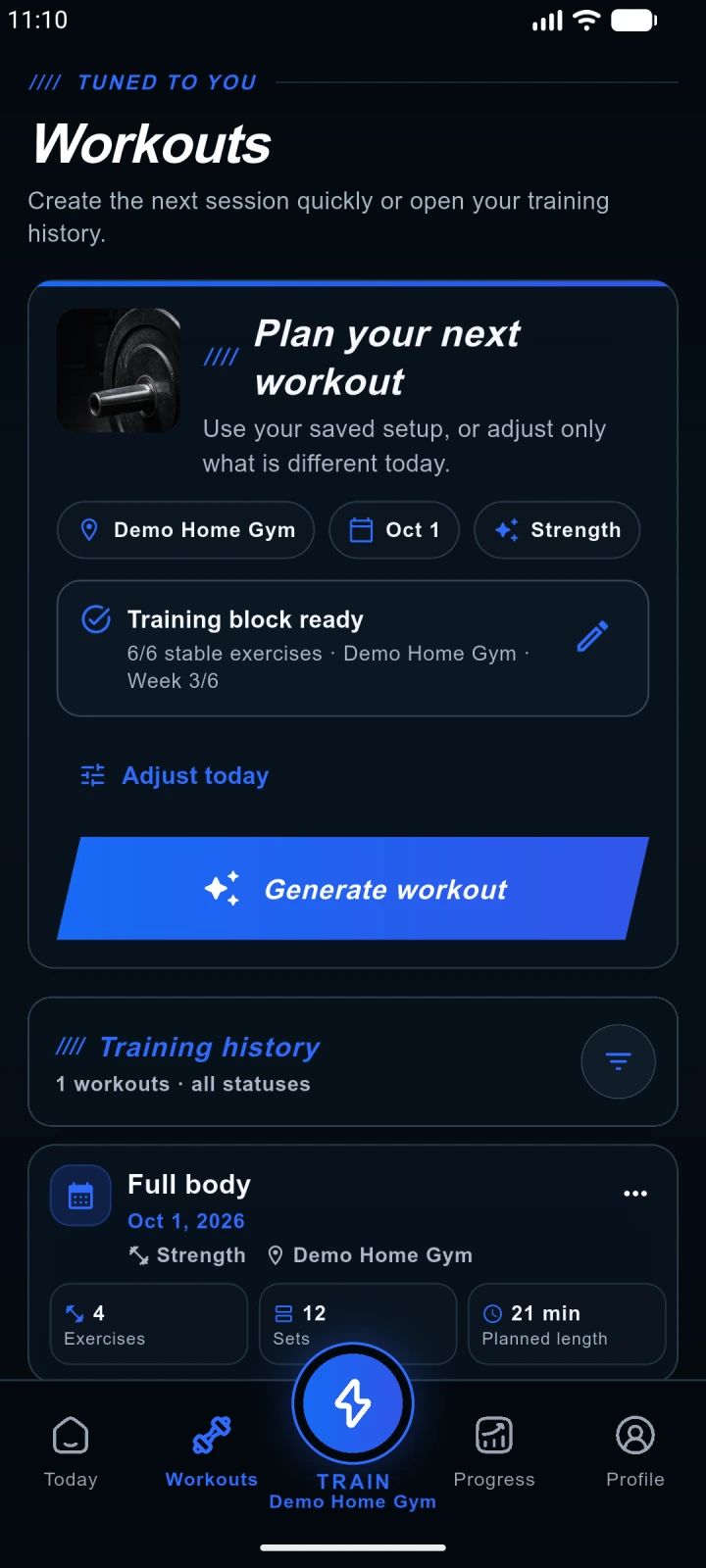
AnyGear builds the starter preview from your goal, profile, location and time. With Pro, generate another workout or continue the six-week program. Location-specific exercises belong to one shared program, so history still matters when you change locations.
AnyGearFitbod
Fitbod My Plan manages goals, locations, weekly schedule, duration and training split. Logged performance and estimated recovery shape recommendations. This is adaptive planning too; treating it as a fixed template would be misleading.
Fitbod · My PlanAvailable weights matter in both apps
AnyGear
AnyGear stores machines, weight sets, zones and equipment order per location. Check the inventory before planning. The gym type selected at onboarding provides a starter list, not a verified inventory of your actual gym.
AnyGearFitbod
Fitbod also supports multiple locations and equipment lists. You can configure available weight increments for dumbbells, kettlebells and barbells. Equipment-aware planning is a shared capability, not an AnyGear advantage by itself.
Fitbod · My PlanLogging and feedback
AnyGear
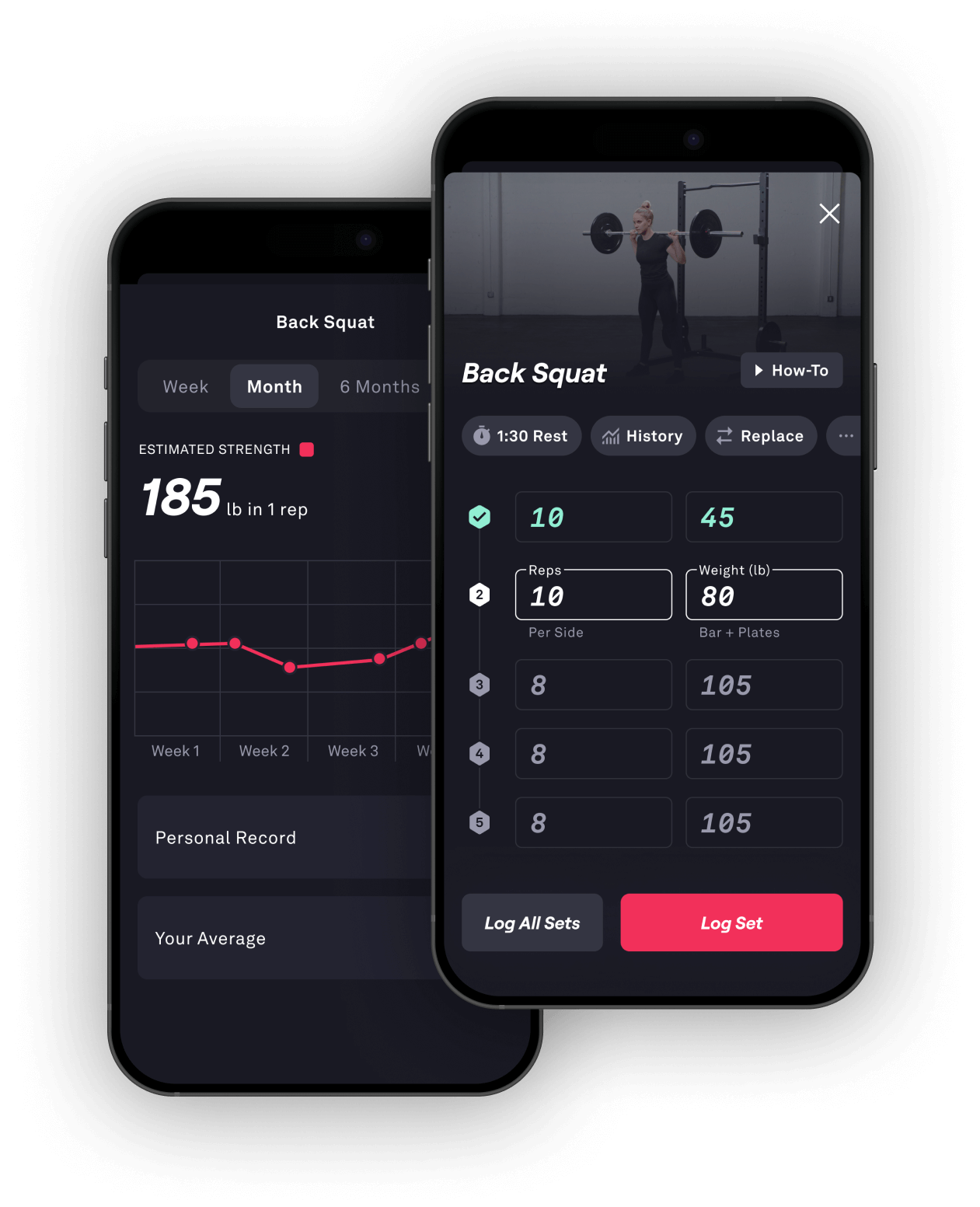
Log the weight and reps you actually completed. With Pro, Kora uses sets, history and your feedback to help with the next step. It can propose a persistent preference as a memory; you control approval, pausing and deletion.
AnyGearFitbod
Fitbod adjusts later recommendations using logged workouts and tracks weight, reps and progress. Exercise videos and history help you review movements and values. These capabilities do not establish that either app produces better training results.
Fitbod · FAQAndroid and watches: check your own device
AnyGear
Plan on your Android phone and log on the phone or a paired Wear OS watch. The watch is optional. The phone build requires Android 8.0+ and the watch build Android API 30+; store device eligibility is a separate requirement.
AnyGearFitbod
Fitbod supports Android and Wear OS. Its support policy covers the current and previous major OS versions; older systems may run it without guaranteed support. Features can differ: My Plan currently labels the week-start setting as iOS-only.
Fitbod · System requirementsHow to make your choice
Try AnyGear if its location inventory and Kora feedback suit you. Try Fitbod if you prefer My Plan, recovery-based recommendations and exercise videos. In both, check whether the resulting workout is usable with your own equipment.
Try the same training situation
Use the same location, equipment and time budget in both apps. Review the plan, log a session, then inspect history and the next recommendation. Test the features you would pay for on your own phone.
One free starter workout. More options with Pro.
1. Tell us the basics
Goal, profile and experience, location, time budget and weekly frequency. The location type supplies starter equipment; adjust it to your actual equipment later.
2. Review the preview
See the proposed exercises, sets and targets. A preview is not yet a saved or completed workout.
3. Create your account
The previewed workout is added to your account automatically. Verify your email for email registration. Use the same account on web and mobile.
| Feature | Free starter workout | AnyGear Pro |
|---|---|---|
| Workout logging | One saved starter workout once, from start to finish. | Plan and log further workouts with active access. |
| Plan changes | Requires Pro. | Plan changes and suitable exercise swaps when an alternative is available. |
| Kora AI Coach | Requires Pro. | Guidance from logged sets and feedback; managed Coach memories. |
This one-time starter workout is separate from an auto-renewing Pro trial. With Pro, daily Coach reports and AI plan reviews currently have separate limits of 3 per day each.
Why do you need the mobile app to subscribe?
AnyGear currently uses App Store and Google Play in-app purchases; there is no web checkout. Install the app, sign in to the same AnyGear account and open the Pro offer. The store shows your trial, price and renewal terms before confirmation. Access belongs to that same AnyGear account.
Sources and scope
Published by AnyGear. Competitor details come from official documentation, not a shared performance test. “Not verified” does not mean a feature is absent. Free and paid tiers are distinguished.
Sources checked:
Prices, trials and renewal terms can vary by country and purchase channel. Check the current offer before subscribing.